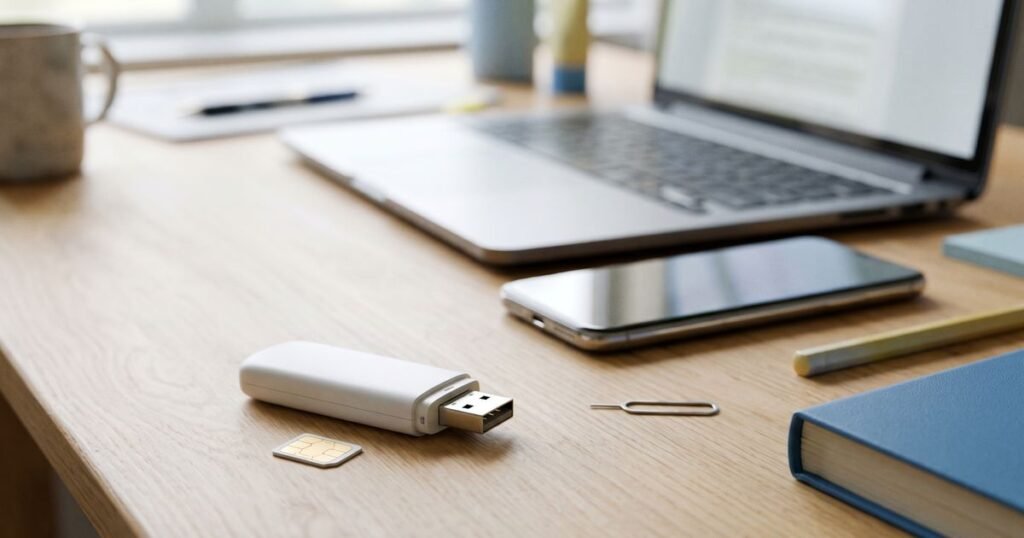
ZTE devices turn up in UK homes in three forms: Blade and other Android phones, USB modems often called dongles, and pocket mobile Wi-Fi units. Many were supplied by networks and are locked to them. An unlock code lets the device accept any SIM. Where you type that code depends on which kind of ZTE you have, so this guide takes each in turn.
Which ZTE devices can be unlocked with a code?
Most network-locked ZTE phones, USB modems and mobile Wi-Fi hotspots accept a code generated from the device’s IMEI. The difference between them is the place you enter it: a phone shows an on-screen box, a dongle uses its connection software on a computer, and a hotspot usually has a settings page you open in a web browser.
| ZTE device | Where the code is entered | Where the IMEI is printed |
|---|---|---|
| Blade and other Android phones | The SIM network unlock PIN box on screen | Settings > About phone, *#06#, or the box |
| USB modem or dongle | The connection manager software on your computer | A label on the body, often under the cap or SIM cover |
| Mobile Wi-Fi hotspot | The device’s settings page in a web browser, or its own screen | A label under the battery or back cover |
How do I find the IMEI on a ZTE modem?
A dongle or hotspot has no dialler, so *#06# will not help. Look at the label printed on the device instead: on USB modems it is usually on the body, sometimes hidden under the removable cap or the SIM cover, and on mobile Wi-Fi units it is normally beneath the battery. The IMEI is the 15-digit number marked IMEI on that label.
The connection software or settings page may also show the IMEI under a device information section. For ZTE phones, our IMEI guide covers the dialler and settings routes.
Where does a ZTE phone ask for the code?
With the handset powered down, swap in a SIM belonging to a different network, then start it up. A ZTE Android phone then displays its SIM network unlock PIN box, ready for the code we emailed; enter it and press Unlock. The phone confirms the unlock and searches for the new network. Once signal bars appear, make a test call to be sure the new SIM is working.
- Pick the device in our ZTE unlock codes, then fill in its IMEI and the network that supplied it.
- Pay by bank transfer, using the order number as the reference. We start once the payment has cleared to our account.
- Insert the other network’s SIM when the code email arrives.
- Key the code into the on-screen box and confirm it.
How do I unlock a ZTE USB dongle?
Put a SIM from a different network into the dongle, then plug it into your computer. The network-branded connection software opens and, because it detects a SIM it does not accept, asks for an unlock code. Type the code, confirm, and the dongle registers with the new network. You may then need to enter that network’s access point details.
If the software does not open on its own, start it from your computer’s programs list. Some dongles ask for the code only after you try to connect. Keep the original software installed until the unlock is complete, as removing it first can leave you with no way to type the code. A data SIM is the natural partner for an unlocked dongle.
How do I unlock a ZTE mobile Wi-Fi hotspot?
Fit the new SIM, power on the hotspot and connect a phone or laptop to its Wi-Fi. Open a web browser and go to the settings address printed on the hotspot’s label, then sign in with the admin password shown there. The page should ask for a network unlock code. Enter it and save, and the hotspot connects to the new network.
Models with their own small screen sometimes show the request on the device itself. If neither the screen nor the settings page asks for a code, contact us with your order number and model before trying anything else.
How many tries do I get on a ZTE device?
ZTE phones and modems allow a limited number of wrong codes, and some dongle software shows a counter of the attempts left. When the counter reaches zero the device may refuse further codes. Type carefully, check the code against the email before confirming, and stop after a single failure so that we can investigate.
Frequently asked questions
Is a ZTE unlock permanent?
Yes. Once the code is accepted, the phone or modem stays open to other networks after updates, resets and SIM changes.
Can I top up mobile broadband after unlocking?
Yes, with credit for your new network. EE broadband users can choose from our EE mobile broadband top-ups.
Will unlocking delete my settings?
No. The code only removes the network lock. You may need to update the access point name for the new network.
How long does a ZTE code take?
Turnaround varies by device and network, as each product page shows. Our email follows as soon as your ZTE code has been prepared.
Find your device among all ZTE unlock codes, or browse unlocking for other brands.