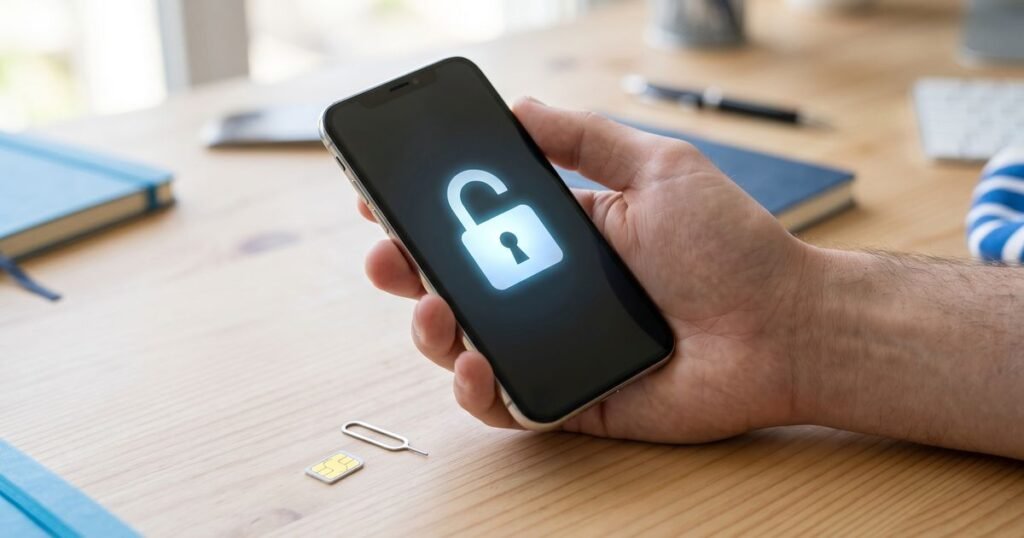
Unlocking an iPhone lets it work with any SIM card or eSIM, in the UK or abroad. Unlike most other phones, an iPhone has no unlock code to type. The unlock is recorded against the handset’s IMEI on Apple’s activation servers, and the phone picks up the change the next time it activates with a different network’s SIM.
How is an iPhone unlocked if there is no code to type?
Every iPhone checks in with Apple when it activates. Apple’s servers hold a record of whether that IMEI is tied to a particular network. An unlock changes that record, so the next time the phone activates with another network’s SIM, Apple tells it to accept the card. Nothing is installed on the phone, and the method does not involve any software changes.
Since December 2021, UK networks have not been allowed to sell phones that are locked, yet plenty of earlier iPhones are still tied to one network. If you are still a customer of the network that locked yours, ask them first. An unlock service helps where that route is closed: a phone bought second-hand, an account that no longer exists, or a network outside the UK.
How do I check whether my iPhone is already unlocked?
Open Settings > General > About and scroll to Carrier Lock, which some iOS versions call Network Provider Lock. If it reads No SIM restrictions, the phone is already unlocked and you do not need to order anything. Any other wording, such as SIM locked, means the iPhone is still tied to a network.
The table below explains the messages iPhone owners most often see and what each one means for an unlock.
| What you see | What it means | What to do |
|---|---|---|
| Carrier Lock: No SIM restrictions | The phone is unlocked | Insert any network’s SIM or add an eSIM |
| Carrier Lock: SIM locked | The phone is tied to one network | Order an unlock for that network |
| SIM Not Supported, with another network’s SIM inside | The lock is rejecting the new SIM | Check the original network, then order the matching unlock |
| Activation Lock or iPhone Locked to Owner screen | An Apple ID lock, not a network lock | Only the owner’s Apple ID can clear this; a network unlock cannot |
Which iPhone unlock service do I need?
Choose the service that matches the country and network your iPhone is locked to, not the network you want to move to. We offer separate services for UK networks, for Irish networks and for networks in the USA. Each one asks for the IMEI and the model when you order, because the network and model decide how the request is handled.
If you are not sure which network the phone came from, insert a SIM from a different network and note the exact message that appears, then contact us with it before ordering. Phones from other makers are listed under our unlock codes for every brand.
How do I order and complete an iPhone unlock?
Find the IMEI, order the service for the network that locked the phone, pay by bank transfer and wait for our confirmation email. Then put in a SIM from another network, connect to Wi-Fi and let the iPhone activate. Most phones accept the new SIM at this point. If an activation message appears, a restore from a computer finishes the process.
- Get the IMEI by dialling *#06# or from Settings > General > About. Our IMEI guide explains how to find your IMEI number from the box or SIM tray too.
- Place the order, entering the IMEI and the model exactly.
- Pay by bank transfer, quoting your order number. Work on the unlock begins once the payment is confirmed.
- When we email you that the unlock is complete, insert the new SIM and join a Wi-Fi network.
- If the phone shows an activation prompt, back it up, restore it with Finder on a Mac or iTunes on Windows, then restore your backup.
Can I use an eSIM once my iPhone is unlocked?
Yes. An unlocked iPhone that supports eSIM can add a profile from any network, alongside or instead of a physical SIM. Look under Settings > Mobile Data, or Mobile Service on newer iOS versions, and choose the option to add an eSIM. Some iPhones sold in the USA have no SIM tray at all and rely on eSIM entirely.
If you are moving to a new network, browse our UK eSIM options or the standard pay as you go SIM cards. Check that the iPhone is unlocked before you install an eSIM profile.
Frequently asked questions
Do I need to enter a code on my iPhone?
No. iPhone unlocks are applied by IMEI, so there is nothing to type on the handset. The change takes effect during activation.
Is an iPhone unlock permanent?
Yes. It stays in place after iOS updates, restores and resets, because the record is held by Apple rather than on the phone.
Will unlocking delete my photos or apps?
Usually not. Only phones that show an activation prompt need a restore, and backing up first means your data comes back afterwards.
Can you unlock an iPhone that is blacklisted or iCloud-locked?
No. A network unlock does not remove Activation Lock or a lost-or-stolen block. Those must be resolved by the owner or the network.