Description
Uganda attracts UK visitors for gorilla trekking in Bwindi, safaris in Queen Elizabeth and Murchison Falls national parks, and rafting near Jinja at the source of the Nile. Many others travel to see family in Kampala and around the country, often for several weeks at a time. A travel eSIM gives you mobile data once you land, so you can contact your driver, use maps and keep family updated.
The eSIM is added to your phone alongside your UK SIM. Your UK number stays put for bank codes and texts from home, while the Uganda plan handles WhatsApp, maps and photo sharing.

Choose your Uganda data plan
There are 11 plans for Uganda. Pick the one that matches the length of your stay and how much you stream, video call or share photos.
| Plan | Price |
|---|---|
| 100MB – 1 day | £0.74 |
| 1GB – 1 day | £2.95 |
| 1GB – 7 days | £3.28 |
| 3GB – 15 days | £8.45 |
| 2GB – 15 days | £9.38 |
| 3GB – 30 days | £9.40 |
| 5GB – 30 days | £14.72 |
| 10GB – 30 days | £36.75 |
| 20GB – 30 days | £56.59 |
| 50GB – 90 days | £135.81 |
| 100GB – 180 days | £264.84 |
- Arrival day or short stopover: 100MB for 1 day or 1GB for 1 day.
- Safari or gorilla trekking week: 1GB for 7 days for messages and maps, or 3GB for 15 days to share photos.
- Family visit of two to four weeks: 5GB for 30 days or 10GB for 30 days, depending on how often you video call.
- Long stays, volunteering or work: 20GB for 30 days, 50GB for 90 days or 100GB for 180 days.
How ordering works
- Choose a plan and place your order. Pay by UK bank transfer or PayPal.
- Once your payment is confirmed, we prepare your eSIM and send you the QR code by email or live chat. Orders are handled by hand, so we suggest ordering at least a day before you fly.
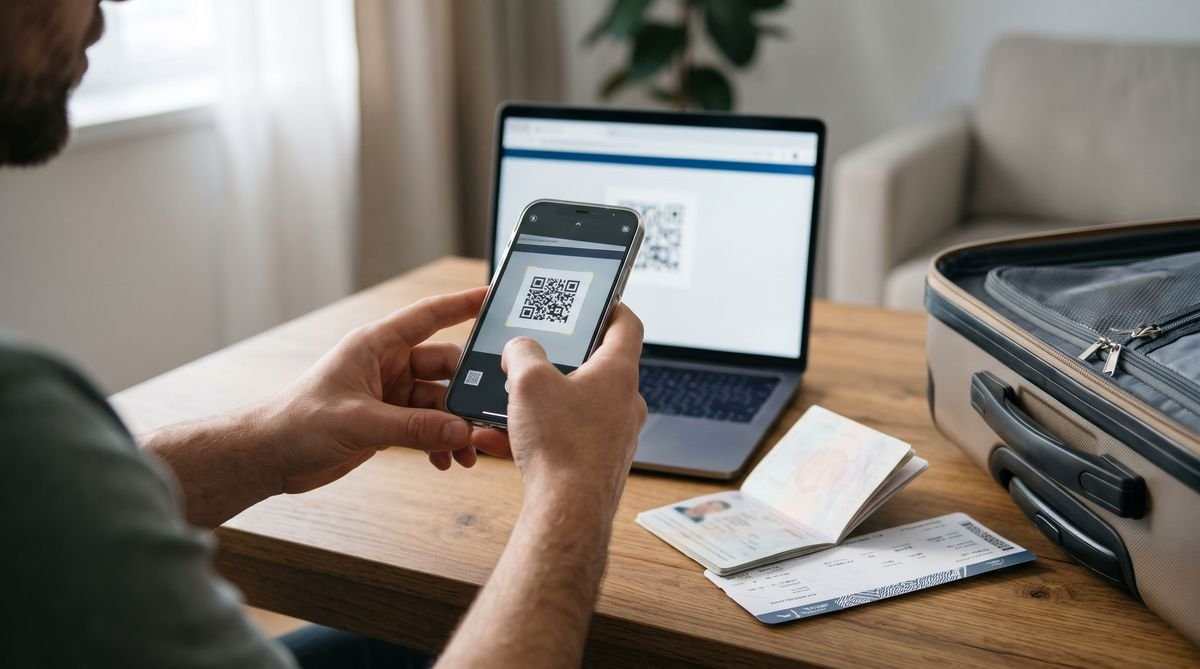
- Scan the QR code at home over Wi-Fi, then switch the eSIM on when you arrive in Uganda.

Installing your eSIM
- iPhone: Settings, Mobile Service (or Mobile Data), Add eSIM, then Use QR Code.
- Samsung Galaxy: Settings, Connections, SIM manager, Add eSIM, then Scan QR code.
- Google Pixel: Settings, Network and internet, SIMs, Add SIM, then Set up an eSIM.
Install it before you travel, while you have a steady Wi-Fi connection. A QR code can usually be installed only once, so do not delete the eSIM from your phone until your trip is over. The phone makers also have step-by-step guides: Apple iPhone, Samsung Galaxy and Google Pixel. When you land, turn on the eSIM line, set it as the line for mobile data and switch on data roaming for that eSIM.
Using mobile data in Uganda
International flights land at Entebbe International Airport on the shore of Lake Victoria, some way by road from central Kampala. Data is useful straight away for messaging whoever is collecting you, and later for ride apps, maps and keeping track of bookings. Kampala traffic can be heavy, so live maps help when planning journeys.
National parks, forests and rural areas can have weak or no signal, including parts of Bwindi and the long drives between parks. Download maps and safari details before you set off, and let family know when you may be out of contact.
Check your phone first
Your phone must be unlocked and support eSIM. Most iPhones from the XS and XR onwards, Samsung Galaxy S20 and later, and Google Pixel 3 and later can use one. Some models sold in certain countries have no eSIM, so look for an Add eSIM option in your settings. If you are not sure, ask us before you order.
Good to know
- Travel advice: before you go, read the GOV.UK travel advice for Uganda, which covers entry requirements, safety and local laws.
- Data only: these plans give you mobile data, not a local phone number. Use WhatsApp, FaceTime or other apps for calls and messages.
- For travel only: the plans work in Uganda and are not meant for use in the UK.
- Your UK SIM: keep it in the phone to receive texts such as bank codes, but turn off data roaming on it so it does not use data abroad.
- Uganda only: the plan does not cover Kenya, Rwanda or Tanzania, which are often combined with Uganda on safari routes. Ask us about a plan for each country.
- Travel advice: check the FCDO travel advice for Uganda before you go, as it includes guidance on some border areas.
More travel eSIMs
Visiting more than one country? We also have travel eSIMs for Rwanda, Kenya and Tanzania. See all our travel eSIM destinations, or our UK eSIMs if you want a UK line on an eSIM too.
Questions
Will I have signal while gorilla trekking?
Do not count on it. Forest and park areas often have little or no signal, so download what you need at your lodge or in town.
Can I share my data with family members?
Many phones can share their connection as a personal hotspot, which uses your eSIM data. Choose a larger plan if several people will rely on it.
When should I buy my Uganda eSIM?
A day or more before you travel is best. That leaves time to receive the QR code and install it at home.
When do the days start counting?
The number of days is how long the plan lasts once it is active. Install it before you go and switch it on when you arrive.
Can I cancel after the QR code is sent?
No. Like our other codes, an eSIM cannot be returned once the QR code has been sent. See our refunds and cancellations page.