Description
For many families in the UK, a trip to Pakistan means time with relatives in Mirpur, Lahore, Islamabad, Karachi or the villages around them, often for a wedding, Eid or a long summer visit. Keeping in touch with family on both sides, sharing photos and arranging lifts all depend on having data from the day you land.
A travel eSIM gives you that without queuing for a local SIM. It is installed alongside your UK SIM, so your UK number stays in the phone for bank codes and calls from home, while the eSIM looks after WhatsApp, maps and browsing.

Choose your Pakistan data plan
There are 17 plans for Pakistan. Pick the one that matches the length of your stay and how much you stream, video call or share photos.
| Plan | Price |
|---|---|
| 100MB – 1 day | £0.52 |
| 1GB – 1 day | £0.72 |
| 1GB – 7 days | £0.79 |
| 3GB – 15 days | £1.83 |
| 3GB – 30 days | £2.04 |
| 5GB – 30 days | £3.06 |
| 2GB – 15 days | £4.88 |
| 10GB – 30 days | £5.32 |
| 20GB – 30 days | £9.28 |
| Unlimited – 3 days | £9.38 |
| Unlimited – 5 days | £14.25 |
| Unlimited – 7 days | £20.25 |
| 50GB – 90 days | £22.27 |
| Unlimited – 10 days | £26.25 |
| Unlimited – 15 days | £36.75 |
| 100GB – 180 days | £43.43 |
| Unlimited – 30 days | £54.00 |
- Short visit for a wedding: Unlimited for 7 days or 5GB for 30 days covers video calls, photos and group chats.
- A month with family: 10GB for 30 days or 20GB for 30 days suits most visits, and unlimited for 30 days suits heavy streaming.
- A couple of weeks, light use: 3GB for 15 days is enough if you mainly use Wi-Fi at the family home.
- Long stay: 50GB for 90 days or 100GB for 180 days suits a stay of several months.
How ordering works
- Choose a plan and place your order. Pay by UK bank transfer or PayPal.
- Once your payment is confirmed, we prepare your eSIM and send you the QR code by email or live chat. Orders are handled by hand, so we suggest ordering at least a day before you fly.
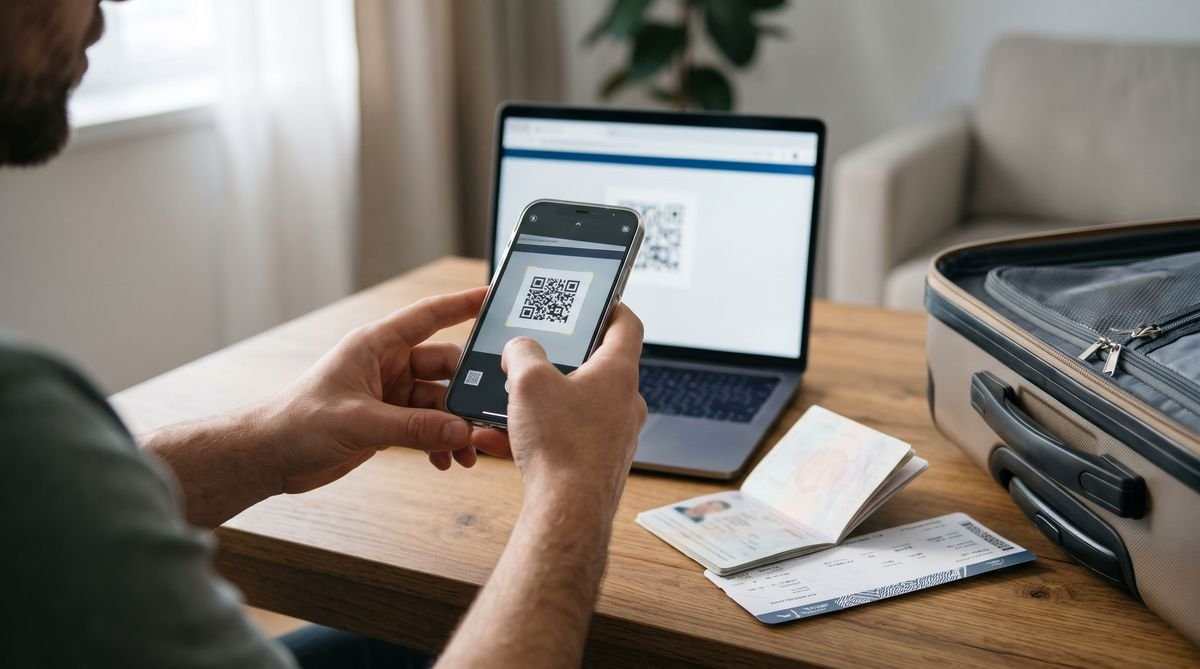
- Scan the QR code at home over Wi-Fi, then switch the eSIM on when you arrive in Pakistan.

Installing your eSIM
- iPhone: Settings, Mobile Service (or Mobile Data), Add eSIM, then Use QR Code.
- Samsung Galaxy: Settings, Connections, SIM manager, Add eSIM, then Scan QR code.
- Google Pixel: Settings, Network and internet, SIMs, Add SIM, then Download a SIM instead.
Install it before you travel, while you have a steady Wi-Fi connection. A QR code can usually be installed only once, so do not delete the eSIM from your phone until your trip is over. When you land, turn on the eSIM line, set it as the line for mobile data and switch on data roaming for that eSIM.
Using mobile data in Pakistan
Flights from the UK land at Islamabad, Lahore, Karachi and Sialkot, and many families travelling to Azad Kashmir arrive through Islamabad. Data is useful for ride-hailing apps in the big cities, staying in touch on WhatsApp, sharing your live location with relatives collecting you and checking flight times.
Signal is usually good in the cities but can be patchy in villages, in the hills and in northern areas such as Gilgit-Baltistan. Mobile data can also be restricted in some areas at certain times, so keep important details saved offline.
Check your phone first
Your phone must be unlocked and support eSIM. Most iPhones from the XS and XR onwards, Samsung Galaxy S20 and later, and Google Pixel 3 and later can use one. Some models sold in certain countries have no eSIM, so look for an Add eSIM option in your settings. If you are not sure, ask us before you order.
Good to know
- Data only: these plans give you mobile data, not a local phone number. Use WhatsApp, FaceTime or other apps for calls and messages.
- For travel only: the plans work in Pakistan and are not meant for use in the UK.
- Your UK SIM: keep it in the phone to receive texts such as bank codes, but turn off data roaming on it so it does not use data abroad.
- Travel advice: check the FCDO travel advice for Pakistan before you go, as it differs by region.
- Unlimited plans: a fair-use policy can apply. Ask us if you expect very heavy use.
Questions
Will it work in Mirpur and Azad Kashmir?
It works where there is a mobile signal. Coverage in towns is usually fine, while some villages and hilly areas can be patchy, so ask relatives how their signal is.
Can relatives in Pakistan call me on the eSIM?
The eSIM is for data only and has no Pakistani number. Family can reach you on WhatsApp or other calling apps, and your UK number still works for normal calls and texts.
When should I buy my Pakistan eSIM?
A day or more before you travel is best. That leaves time to receive the QR code and install it at home.
When do the days start counting?
The number of days is how long the plan lasts once it is active. Install it before you go and switch it on when you arrive.
Can I cancel after the QR code is sent?
No. Like our other codes, an eSIM cannot be returned once the QR code has been sent. See our refunds and cancellations page.


Reviews
There are no reviews yet.