Description
ZTE phones from the Blade range, as well as network-branded ZTE handsets, are often sold locked to one network. An unlock code lets your ZTE work with any SIM card. The code is made for your phone’s own IMEI number, so it works on that phone only.
How to order
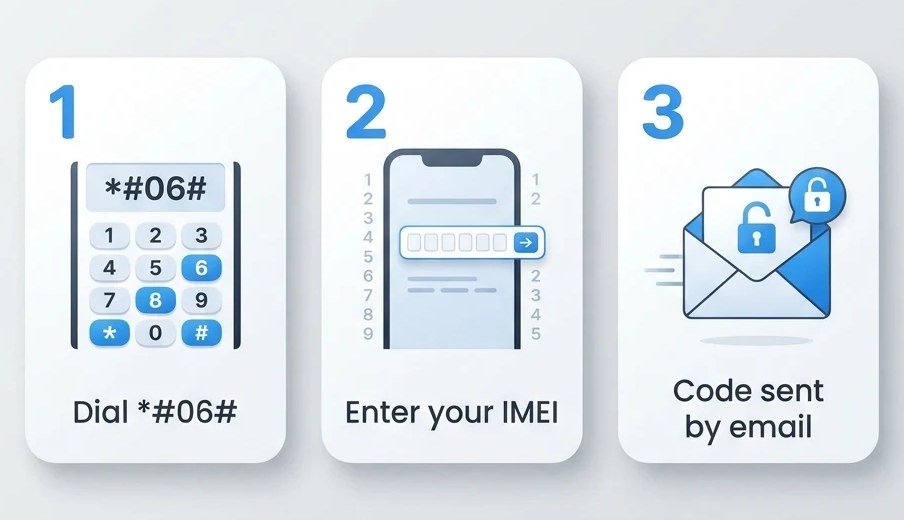
- Choose your model from the list. If your model is not in the list, we cannot supply a code for it.
- Find the IMEI: dial *#06# on a phone, or check the label under the battery or on the box. It is a 15-digit number.
- Enter the IMEI and pay. We email your code to the email address you give at checkout.
How to enter the code
- Switch the phone off and put in a SIM card from a different network.
- Switch it on. The phone asks for a network unlock code (it may say “Enter NCK”, “Network unlock PIN” or “SIM network unlock”).
- Type the code we sent and confirm. The phone then connects to the new network.
Type the code carefully. Most phones allow only a few tries, and after that the phone can stay locked for good.
Good to know
- This code removes the network lock only. It does not remove a Google account lock (FRP), a screen lock or a password, and it cannot unblock a phone reported lost or stolen.
- If we cannot supply a code for your phone, we refund you in full. Once a code has been sent it cannot be refunded. See our refunds policy.
ZTE Phone models covered
Blade A3, Blade A465, Blade A5, Blade A5 Pro, Blade C2, Blade C341, Blade D6 Lite 3G, Blade GLux, Blade GPRO, Blade L105, Blade L110, Blade L111, Blade L2, Blade Q, Blade Q MAXI, Blade Q MINI, Blade V580, Blade X, Blade X7, Blade XM, Conexis A1, Kis 2 Max, Kis Q, T12, T760, T815, V795, V809, V815w, VFD-200, F320.