
Description
Turn on data roaming for this eSIM when you arrive. Without data roaming, the eSIM cannot connect to a local network and your data will not work.
Most people travelling from the UK to Ukraine at present are going to see family, returning home for a while, or working on humanitarian or business projects. On a trip like that, having mobile data once you are in the country helps you stay in touch, follow travel updates and share news with people back in the UK.
A travel eSIM is added next to your UK SIM, so your UK number stays in the phone for bank codes and messages. The Ukraine plan handles data for messaging apps, maps and video calls. Before planning any journey, read the current FCDO travel advice for Ukraine.

On this page: Plans and prices · How ordering works · Installing · Check your phone · Questions
Choose your Ukraine data plan
There are 17 plans for Ukraine. Pick the one that matches the length of your stay and how much you stream, video call or share photos.
| Plan | Price |
|---|---|
| 100MB – 1 day | £0.52 |
| 1GB – 1 day | £0.72 |
| 1GB – 7 days | £0.79 |
| 3GB – 15 days | £1.83 |
| 5GB – 30 days | £3.06 |
| 2GB – 15 days | £4.94 |
| 3GB – 30 days | £6.08 |
| Unlimited – 3 days | £9.50 |
| 10GB – 30 days | £13.68 |
| Unlimited – 5 days | £15.58 |
| 20GB – 30 days | £20.52 |
| Unlimited – 7 days | £20.90 |
| 50GB – 90 days | £22.27 |
| Unlimited – 10 days | £26.60 |
| Unlimited – 15 days | £37.24 |
| 100GB – 180 days | £43.43 |
| Unlimited – 30 days | £55.10 |
- Short visit of a few days: 1GB for 7 days, or unlimited for 3 days or 5 days if you video call a lot.
- Two weeks with family: 3GB for 15 days or 10GB for 30 days.
- A month or longer: 20GB for 30 days, unlimited for 30 days, or 50GB for 90 days.
- Extended stay: 100GB for 180 days lasts six months.
How ordering works
- Choose a plan and place your order. Pay by UK bank transfer, card or PayPal.
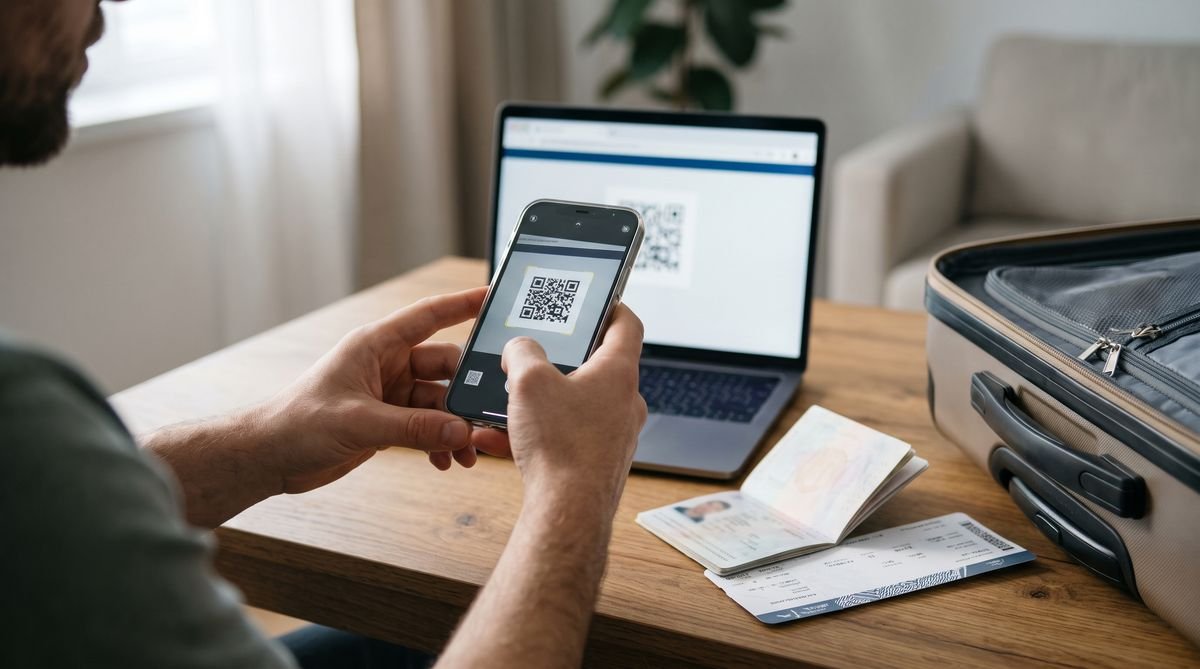
- Once your payment is confirmed, we prepare your eSIM and send you the QR code by email or live chat. Orders are handled by hand, so we suggest ordering at least a day before you fly.
- Scan the QR code at home over Wi-Fi, then switch the eSIM on when you arrive in Ukraine.

Installing your eSIM
- iPhone: Settings, Mobile Service (or Mobile Data), Add eSIM, then Use QR Code.
- Samsung Galaxy: Settings, Connections, SIM manager, Add eSIM, then Scan QR code.
- Google Pixel: Settings, Network and internet, SIMs, Add SIM, then Set up an eSIM.
Install it before you travel, while you have a steady Wi-Fi connection. A QR code can usually be installed only once, so do not delete the eSIM from your phone until your trip is over. The phone makers also have step-by-step guides: Apple iPhone, Samsung Galaxy and Google Pixel. When you land, turn on the eSIM line, set it as the line for mobile data and switch on data roaming for that eSIM.
Using mobile data in Ukraine
Arrangements for entering Ukraine can change, and many travellers currently arrive overland by train or road from neighbouring countries. Switch the eSIM on once you are inside Ukraine, and keep data available for train tickets, maps, banking apps and messages to family. Official alert and public information apps also need data.
Service can be disrupted in some areas, for example during power cuts, so keep a power bank charged and save important details offline. The plan covers Ukraine only; Poland, Moldova and other neighbouring countries you pass through need a separate plan.
Check your phone first
Your phone must be unlocked and support eSIM. Most iPhones from the XS and XR onwards, Samsung Galaxy S20 and later, and Google Pixel 3 and later can use one. Some models sold in certain countries have no eSIM, so look for an Add eSIM option in your settings. If you are not sure, ask us before you order.
Good to know
- Travel advice: before you go, read the GOV.UK travel advice for Ukraine, which covers entry requirements, safety and local laws.
- Data only: these plans give you mobile data, not a local phone number. Use WhatsApp, FaceTime or other apps for calls and messages.
- For travel only: the plans work in Ukraine and are not meant for use in the UK.
- Your UK SIM: keep it in the phone to receive texts such as bank codes, but turn off data roaming on it so it does not use data abroad.
- Travel advice: the FCDO has warnings in place for Ukraine. Check its latest advice and your insurance cover before you go.
- Unlimited plans: as with most unlimited travel plans, a fair-use policy can apply.
More travel eSIMs
Visiting more than one country? We also have travel eSIMs for Moldova, Romania and Bulgaria. See all our travel eSIM destinations, or our UK eSIMs if you want a UK line on an eSIM too. Our UK eSIM guide compares the UK networks.
Questions
Will the plan work near the front line or in occupied areas?
We cannot promise service in those areas, and the FCDO advises against travel to them. Check the FCDO travel advice before any journey.
Can I use it in Poland on the way?
No, this plan is for Ukraine only. If you are travelling through Poland, ask us about a plan for that part of the journey.
When should I buy my Ukraine eSIM?
Order a day or more before you travel. That leaves time to receive the QR code and install it at home.
When do the days start counting?
The number of days is how long the plan lasts once it is active. Install it before you go and switch it on when you arrive.
Can I cancel after the QR code is sent?
No. Like our other codes, an eSIM cannot be returned once the QR code has been sent. See our refunds and cancellations page.